Starlink Standard Kit & Rural Home Setup Gear

Get your country home ready for satellite internet with the Starlink Standard Kit and compatible setup gear from Tractor Supply. Start with the internet kit, then choose installation accessories to suit your home and receiver location. Whether you're setting up at the farmhouse or a remote cabin, check for a clear view of the sky and review Starlink service options for your address before buying.
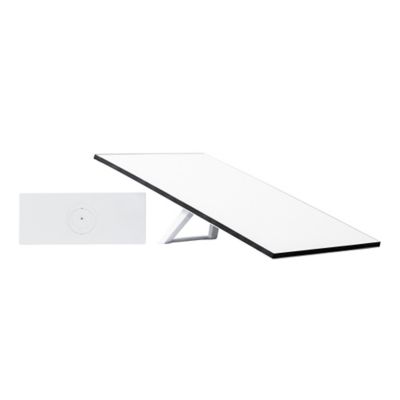
Starlink Standard Internet Kit, Wi-Fi Router, 50 ft. Cable and 6 ft. AC Cable
Starlink Starlink Standard Internet Kit, Wi-Fi Router, 50 ft. Cable and 6 ft. AC Cable
A white, weather-resistant kit providing high-speed internet with a Gen 3 Wi-Fi router and cables.
(48)
$349.99 $299.99
SALE
What customers like:
Easy setup and installation
Quick delivery and shipping
Seamless streaming and low latency
Fast internet speeds
$349.99 $299.99
SALE
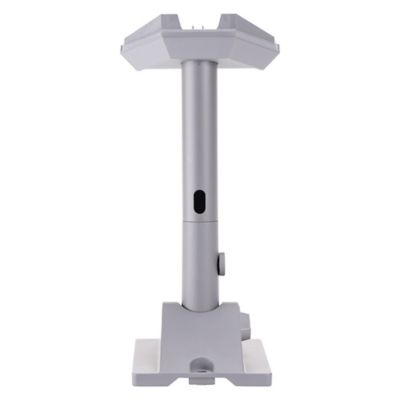
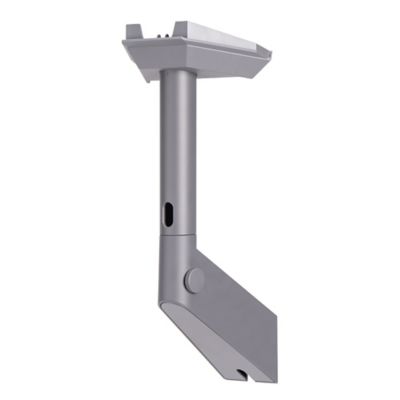
Starlink Standard Pivot Mount
Starlink Starlink Standard Pivot Mount
A white pivoting roof mount with weather-resistant construction for adjustable satellite dish positioning.
(0)
$69.99 $69.99
SALE
$69.99 $69.99
SALE
Starlink Standard Wall Mount
Starlink Starlink Standard Wall Mount
A white, weather-resistant wall mount compatible with Standard 4, Standard 4 X, and Enterprise satellite systems.
(0)
$79.99 $79.99
SALE
$79.99 $79.99
SALE
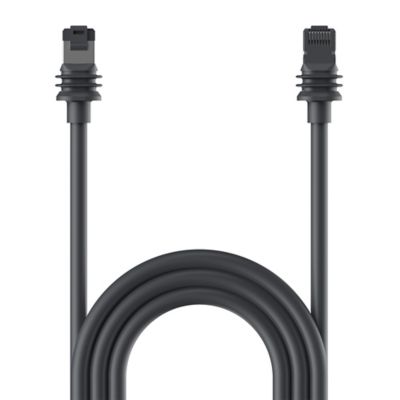
Starlink Standard 147 ft. Cable
Starlink Starlink Standard 147 ft. Cable
A black weather-ready replacement cable for compatible satellite internet kits, providing flexible outdoor dish-to-router installation.
(0)
$119.99 $119.99
SALE
$119.99 $119.99
SALE
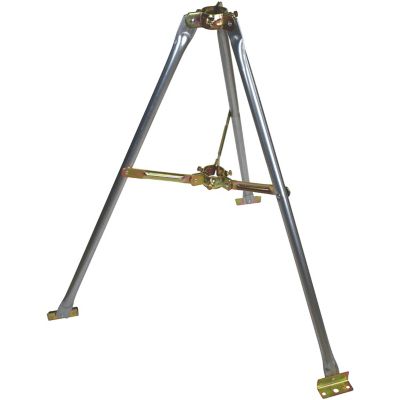
Winegard 3-Ft. Tripod Mount for TV Antennas, SW-0010
Winegard Winegard 3-Ft. Tripod Mount for TV Antennas, SW-0010
A gray, heavy-duty galvanized steel tripod mount for securely installing antennas, weather stations, or cell boosters.
(1)
$60.99 $54.89
SALE
$60.99 $54.89
SALE
Rural home internet has a lot of ground to cover, from a laptop at the kitchen table to the family’s streaming devices and the computer where farm records get sorted. Satellite internet kits and rural home setup gear bring those connections together where a wired connection may not reach. A typical setup combines an outdoor satellite antenna, a Wi-Fi router, a power supply, and compatible connection cables. The antenna connects to the satellite network, while the router shares that connection with devices inside the house. Those are separate jobs, and both matter: a clear view of the sky helps the antenna maintain its connection, while router placement affects how well Wi-Fi reaches bedrooms, workspaces, and gathering spots. An open location away from blocking trees, buildings, and rooflines is an important consideration for the antenna. The required field of view depends on the equipment, so a spot that looks open from the porch may still have an obstruction in the antenna’s working area. Indoors, a reasonably central router location generally makes more sense than tucking it behind a metal filing cabinet or down in a far corner of the basement. Thick masonry, metal siding, large appliances, and the distance between rooms can all affect wireless coverage. For a household juggling video calls, school assignments, account paperwork, and evening entertainment, the goal is a setup that fits the property rather than simply placing every component wherever an outlet happens to be. Connection speed and responsiveness can vary with the service plan, network demand, obstructions, and other operating conditions; a kit alone does not guarantee a particular result. Service activation and a compatible plan are separate considerations from the physical equipment. For people working from a farmhouse office or managing a small acreage, understanding that difference helps keep the focus on both the internet connection coming in and the home network carrying it through the house.

Mounting hardware and cable-routing supplies help turn a basic satellite internet arrangement into a more settled part of the property. A freestanding support may suit an approved ground-level or flat-surface placement, but it is not interchangeable with a mount intended for a roof, wall, or pole. Each mounting style has its own attachment method, clearance requirements, and limits, and the equipment’s shape and connection points need to match the bracket or adapter. For equipment-specific options, browse Starlink Mounting Kits For Standard And Mini and check the stated compatibility and approved mounting surface. Aluminum and coated steel are common choices for outdoor mounting hardware, with corrosion resistance, bracket thickness, and fastener selection all contributing to long-term performance. A sound attachment point matters just as much as the bracket itself; siding or trim alone may not provide the structural support an installation requires. Roof penetrations also bring sealing and access considerations, making professional help worth considering where the work involves heights, electrical requirements, or unfamiliar building details. Cable reach belongs in the same conversation as mounting position. The actual route includes turns, entry points, and enough clearance to avoid tight bends, not just the straight-line distance between the antenna and router. Compatible cables, supports, protective bushings, and properly fitted entry seals help keep the run organized without crushing the jacket or putting tension on connectors. Manufacturer-approved cable lengths and connection methods matter, especially when a system carries both power and data through the same cable. An ordinary network extension is not automatically a suitable substitute for a dedicated antenna cable. Keeping the run clear of mower paths, livestock access, vehicle traffic, and sharp edges helps protect it from everyday damage around a rural property. Access for occasional inspection is useful, too. A mounting location that can be checked safely makes it easier to spot a loose attachment, a strained cable, or a damaged connector before a small problem becomes a bigger interruption.

Power protection, wired networking, and whole-home Wi-Fi gear round out a rural internet setup without all serving the same purpose. A surge protective device is intended to limit certain electrical surges, while an uninterruptible power supply can provide temporary battery power when incoming power stops. Backup runtime depends on battery capacity, battery condition, and the total electrical load. Keeping only the router powered will not maintain the satellite connection if the antenna or its power supply has lost power, so the complete system’s power needs matter when comparing backup equipment. Neither surge protection nor battery backup guarantees protection from every electrical event, and grounding and electrical work should follow the equipment instructions and applicable codes. Inside the house, Ethernet connections can suit a desk computer, television, or other stationary device when the equipment supports a wired connection. Compatible network switches may add wired connections, while mesh Wi-Fi equipment can help extend wireless coverage across a larger floor plan. Compatibility deserves a close look here as well: Ethernet port counts, adapter needs, and support for a separate router vary by system. Where supported, bypass mode lets a separate router handle network management, but it is not the same thing as adding a wireless coverage point. A detached workshop or barn brings another set of distance and building-material considerations; strong Wi-Fi in the living room does not mean the signal will reach through metal walls across the yard. Depending on the property, a properly planned wired connection or a dedicated building-to-building wireless link may be a better fit than another indoor extender. Ongoing care is usually more about sensible placement and inspection than constant attention. Clear airflow around indoor electronics, supported cables, clean connection areas, and attention to the manufacturer’s care instructions help keep the setup manageable. Access to plugs, labels, and status lights is handy when troubleshooting a connection after a long day of chores. Taken together, compatible mounting gear, a protected cable route, suitable power equipment, and networking components matched to the house help make rural internet easier to live with, whether the main task is checking farm accounts, joining a work call, or settling in for a movie.

FAQ

Back to top